

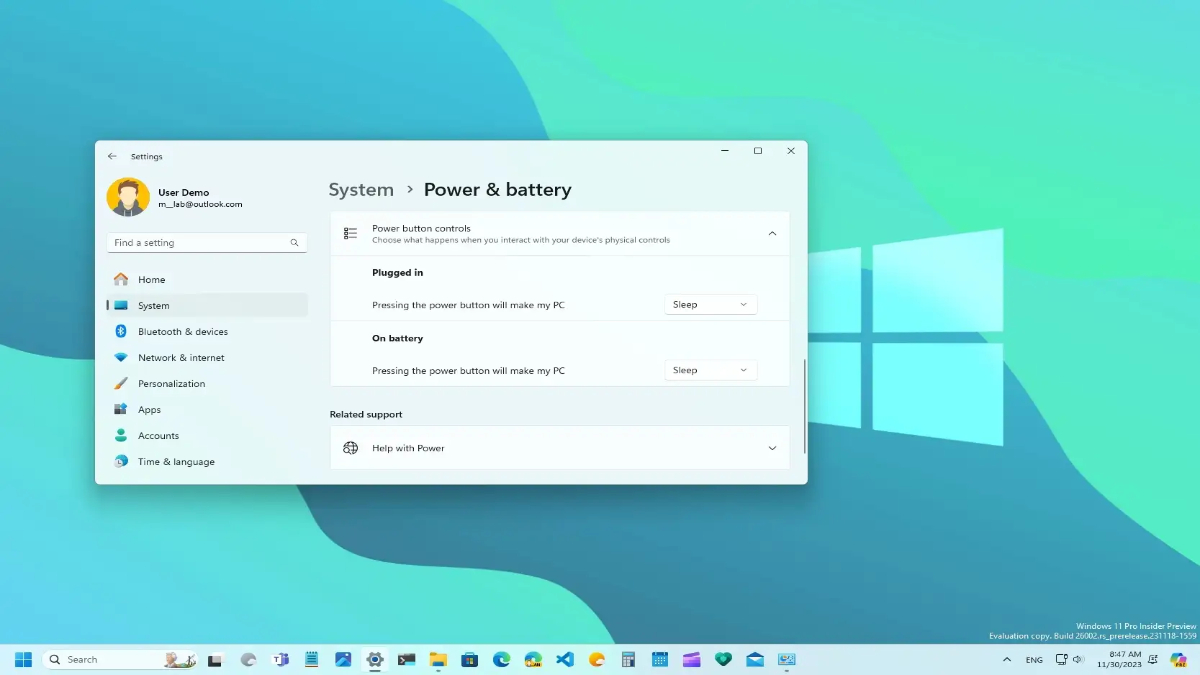
New Delhi, March 14, 2026: In the latest push for a more streamlined user experience, Microsoft has rolled out Windows 11 Insider Preview Build 29550.1000 to the Canary Channel. The standout feature of this update is a fundamental shift in how the operating system handles power management, finally resolving a long-standing point of friction for laptop and desktop users alike.
The End of “Power Plan Drift”
For years, Windows users have dealt with a fragmented power management system. If you adjusted your screen timeout or sleep settings while using the “Balanced” plan, those changes often wouldn’t carry over if you switched to “High Performance” or a custom manufacturer plan. This led to “configuration drift,” where a user might find their device behaving unexpectedly after a simple profile switch.
With the new update, Microsoft has introduced Global Power Controls. Now, key settings adjusted within the modern Settings app—such as display timeouts, sleep and hibernate intervals, and physical button actions (lid close or power button)—are applied across all power plans simultaneously.
Key Global Settings Include:
- Display & Sleep Timeouts: Changes to how long your screen stays on or when the device enters sleep mode now stick, regardless of the active profile.
- Hibernate Timing: Consistency in when the system transitions from sleep to hibernation.
- Lid and Button Actions: If you set your laptop to “Do Nothing” when the lid is closed, that preference remains active even if you change power modes.
Beyond Power: Performance and Reliability
While the power plan synchronization is the headline, Build 29550 also brings several “under-the-hood” refinements to the Settings app, making it feel snappier and more dependable:
- Faster Loading: The Settings homepage now loads significantly faster, reducing the “hanging” sensation when first opening the app.
- Improved Navigation: Navigating to the Privacy & Security section is now more reliable, addressing previous bugs where the app might crash or freeze during the transition.
- Tool Fixes: The update improves the reliability of configuring custom tools under Bluetooth & Devices > Wheel and enhances the stability of File Explorer component updates.
Why This Matters for Users
This change is a win for both casual users and power users. For the average person, it eliminates the confusion of “Why did my screen turn off after 2 minutes when I just set it to 10?” For professionals and IT admins, it reduces the need to hunt through the legacy Control Panel to ensure uniformity across different performance states.
By making these settings “atomic”—meaning they apply globally by default—Microsoft is continuing its journey of migrating legacy Control Panel features into the modern, cohesive Windows 11 interface.
Availability
As this is a Canary Channel release, these features are currently in the earliest stages of public testing. While they represent the future direction of Windows 11, they may undergo further refinement (or even removal) based on Insider feedback before reaching the general public.