
 has officially released the admit cards for the Joint CSIR UGC NET June 2026 examination.)
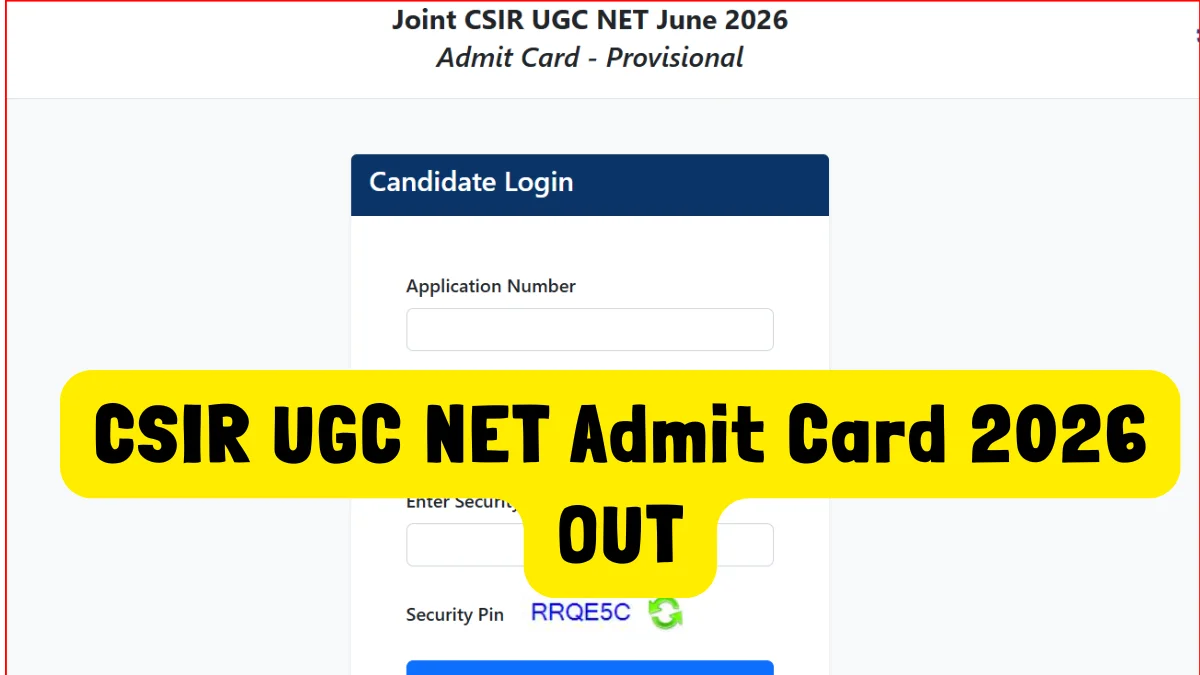
New Delhi, July 14, 2026: The National Testing Agency (NTA) has officially released the admit cards for the Joint CSIR UGC NET June 2026 examination. Candidates who have registered for this national-level exam can now download their provisional hall tickets by visiting the official CSIR NET portal at csirnet.nta.nic.in.
The examination determines the eligibility of Indian nationals for a Junior Research Fellowship (JRF), appointments as Assistant Professors, and admissions to PhD programmes across Indian universities and colleges. It will be conducted entirely in a Computer-Based Test (CBT) mode over a two-day window on July 17 and July 18, 2026.
Below is a comprehensive guide on the exam schedule, step-by-step instructions to download your hall ticket, and crucial guidelines for the exam day.
Joint CSIR UGC NET June 2026: Examination Schedule
The NTA has structured the subject-wise exam timeline across two shifts daily. The morning shift runs from 9:00 AM to 12:00 Noon, while the afternoon shift takes place from 3:00 PM to 6:00 PM.
Here is the complete schedule so you can double-check your slot:
| Date | Subject | Shift Timings |
| July 17, 2026 | Life Sciences | Shift 1: 9:00 AM to 12:00 Noon |
| July 17, 2026 | Mathematical Sciences | Shift 2: 3:00 PM to 6:00 PM |
| July 17, 2026 | Physical Sciences | Shift 2: 3:00 PM to 6:00 PM |
| July 18, 2026 | Chemical Sciences | Shift 1: 9:00 AM to 12:00 Noon |
| July 18, 2026 | Earth, Atmospheric, Ocean, and Planetary Sciences | Shift 1: 9:00 AM to 12:00 Noon |
How to Download Your CSIR UGC NET June 2026 Admit Card
To download the admit card, candidates must use their online login credentials. Physical copies of the admit card will not be sent to candidates via post.
You can access your hall ticket quickly by following this sequence:
1.Visit the Official Website:Required: Internet access.
Open your web browser and go directly to the official CSIR UGC NET NTA website: csirnet.nta.nic.in.
2.Locate the Admit Card Link:Home Page.
Find and click on the active link labeled “CSIR UGC NET June 2026 Admit Card” featured prominently on the homepage.
3.Enter Login Credentials:Credentials Required.
You will be redirected to a secure login portal. Carefully input your Application Number and Password (or Date of Birth, as applicable) along with the security captcha shown on the screen.
4.Submit and View:Verification Phase.
Click on the “Submit” or “Sign In” button. Your provisional CSIR UGC NET June 2026 admit card will be displayed on your screen.
5.Download and Print:Immediate Action.
Carefully inspect all the details shown. Once verified, click “Download” and save the document as a PDF. Make sure to print at least one or two physical copies.
Crucial Details to Verify on Your Admit Card
Once downloaded, candidates are strongly advised to check the printed information for any spelling errors or incorrect data. Make sure to thoroughly review the following fields:
- Candidate’s Name: Spelling must match the name registered on your official identity documents.
- Roll Number and Application Number: These should align with your confirmation page.
- Date of Birth and Gender: Ensure they are accurately reflected.
- Category: Verified as per your application form (e.g., General, OBC, SC, ST, PwD).
- Photograph and Signature: Must be clear and easily recognizable.
- Subject Name & Exam Date: Verify the test timing matches your specific discipline.
- Exam Center Name & Complete Address: Locate the exact geographical coordinates of your allotted center ahead of time.
What to Do in Case of Discrepancies?
If there is any mistake in your personal details, mismatched photographs, or if you face difficulties while downloading the file, do not panic. Candidates must contact the NTA Help Desk immediately to resolve the issues before the scheduled exam days.
- NTA Helpline Numbers: 011-40759000 or 011-69227700
- Official Support Email: csirnet@nta.ac.in
Mandatory Checklist for Exam Day
To ensure a seamless entry into the examination hall, make sure you prepare your physical document kit a day prior. NTA maintains strict security checks, and missing documents can result in a denial of entry.
- Printed Admit Card: Bring a clear, physical printout of the CSIR UGC NET June 2026 admit card. While black-and-white is acceptable, a colored printout is recommended to ensure your photo and signature are clearly visible.
- Valid Photo ID Proof: You must present a valid, original, government-issued photo identification proof. Permitted documents include:
- Aadhaar Card (or e-Aadhaar with a photo)
- PAN Card
- Passport
- Driving License
- Voter ID
- Passport-Size Photographs: Carry at least two recent passport-sized photos. These must be identical to the one you uploaded during your online registration process, as they will be pasted on the attendance sheet at the venue.
- PwD Certificate (if applicable): Candidates claiming relaxation under the Persons with Disabilities category must carry their authorized certificate and scribe-related documents, if applicable.
Important Exam Day Instructions and Dress Code
- Reporting Time: Arrive at the examination venue at least 60 to 90 minutes before the scheduled time. This allows ample time for biometric verification, security frisking, and finding your designated lab seat without any rush.
- No Digital or Electronic Devices: Standard testing policies apply. Calculators, smartwatches, mobile phones, Bluetooth devices, earphones, health bands, or any other electronic gadgets are strictly banned inside the test environment.
- No Study Material: Do not bring any books, notebooks, reference slips, or loose paper sheets. Rough sheets for calculation work will be provided at your designated computer console and must be submitted to the invigilator before exiting the room.
- Dress Code Guidelines: Wear simple, comfortable clothing. Avoid wearing heavy jewelry, metallic ornaments, or clothes with large buttons and multiple pockets to ensure a quick security screening process.
Candidates are highly encouraged to review the instruction pages attached to their downloaded admit cards to familiarize themselves with all structural rules defined by the NTA.