
 will officially open its online registration portal and choice-filling interface today,)
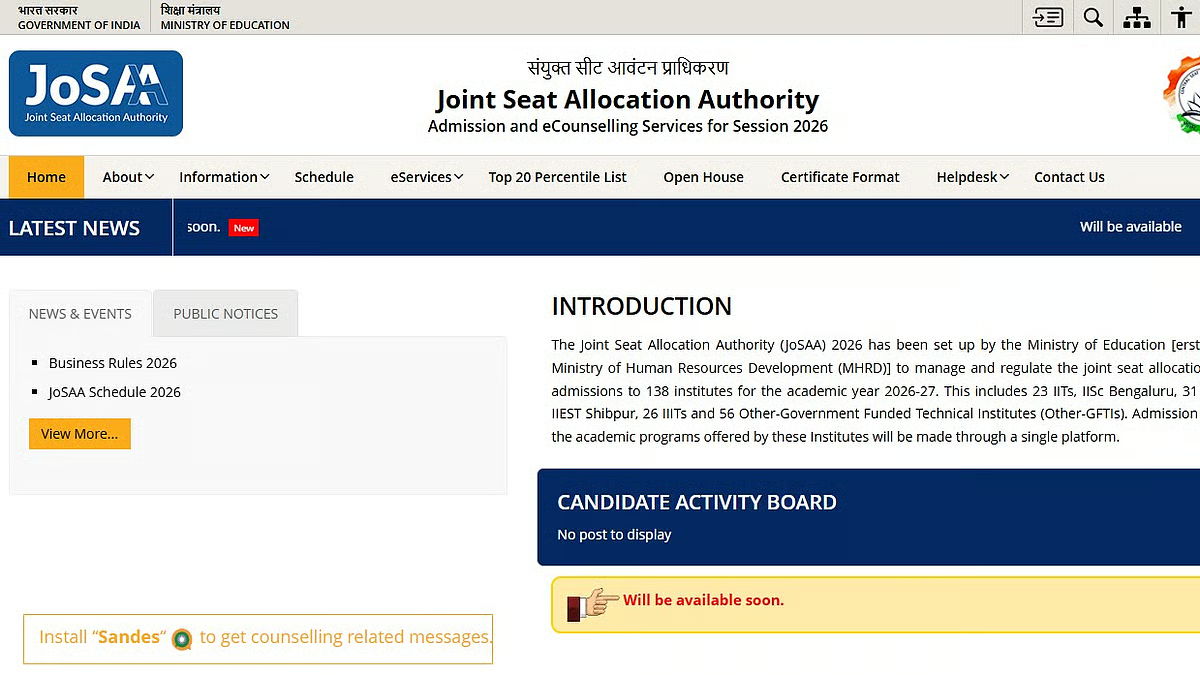
New Delhi, June 2, 2026: The Joint Seat Allocation Authority (JoSAA) will officially open its online registration portal and choice-filling interface today, June 2, 2026, precisely at 5:00 PM IST. This highly anticipated announcement follows the declaration of the Joint Entrance Examination (JEE) Advanced 2026 results yesterday, June 1. Eligible engineering aspirants who cleared the JEE Main 2026 or JEE Advanced 2026 exams can now log into the centralized portal at josaa.nic.in to launch their undergraduate admission journey into India’s premier technical institutes.
The single-window JoSAA counseling process regulates admissions for 129 premium institutions, including 23 Indian Institutes of Technology (IITs), 32 National Institutes of Technology (NITs), 26 Indian Institutes of Information Technology (IIITs), and 38 Government Funded Technical Institutes (GFTIs). Cumulatively, more than 63,000 engineering seats—including over 18,000 within the IIT network—are available this academic session. Because a candidate’s future career path heavily depends on this submission, understanding the technical deadlines and strategies is vital.
Key Deadlines for JoSAA 2026 Counselling
To avoid technical errors or sudden system rushes, candidates should keep a close eye on the official milestone dates. The absolute deadline for initial registration, preferred choice entry, and mandatory pre-upload of relevant credentials closes on June 11, 2026, at 5:00 PM IST.
- June 2, 2026 (5:00 PM): Registration & Choice Filling Window Activates.
- June 7, 2026: Architecture Aptitude Test (AAT) specific preferences unlock for qualified candidates.
- June 8, 2026 (2:00 PM): Announcement of Mock Seat Allocation Round 1 (based on saved preferences as of June 7).
- June 10, 2026 (1:00 PM): Announcement of Mock Seat Allocation Round 2 (based on saved preferences as of June 9).
- June 11, 2026 (5:00 PM): Registration Closes; Final Choice Locking Deadline (Auto-locks if un-submitted).
- June 13, 2026 (10:00 AM): Round 1 Official Seat Allocation Result.
Step-by-Step Guide to the Registration Process
Every candidate must strictly follow the online procedure to ensure their rank remains valid for seat allotment.
1.Portal Access and Verification:Step 1.
Navigate to the official JoSAA link at josaa.nic.in. Log in securely using your JEE Main 2026 application number and corresponding password. Candidates who cleared JEE Advanced should use their Advanced credentials. Upon entering, the portal automatically fetches your rank data, category status, and personal details from the central database. Check these details carefully before proceeding.
2.Strategic Choice Filling:Step 2.
Once logged in, the available academic programs and engineering branches will display based on your qualification profile. You can explore, sort, and add dozens of combination choices. There is no upper limit on the number of choices you can register. Arrange your choices in strict decreasing order of your personal priority.
3.Reviewing Mock Allotments:Step 3.
Do not prematurely lock choices on day one. Utilize the Mock Allotment results published on June 8 and June 10. These mock lists act as simulated practice runs, showing which seat you would get based on current peer choices. Use this feedback to re-order, add, or prune options.
4.Choice Locking and Submission:Step 4.
Before June 11 at 5:00 PM, you must click on the “Lock Choices” tab. If you accidentally forget to lock your choices, the automated system will lock the last modified and saved version. Print out a physical copy of the locked choices for your reporting records.
Strategy and Rules for Option Entry
Filing choices requires deep consideration rather than just tracking previous cut-off limits. Many students mistakenly limit their choices or list choices based only on what they expect to get. Instead, experts suggest using a “three-tier strategy” to build an optimal preference tree:
- The Dream Tier: Place top-tier dream institutes and premium branches (such as Computer Science or Electronics at old IITs/top NITs) at the very top, even if your rank sits slightly outside historical boundaries.
- The Realistic Tier: List colleges and academic programs that match the closing ranks of the last three seasons. This forms the foundation of your choices.
- The Backup Tier: Add choices where your rank safely outscores past cut-off trends to protect yourself from missing out completely.
Post-Allotment Options: Freeze, Float, and Slide
Once Round 1 allocations go live on June 13, candidates must complete an online reporting step. This involves uploading documents, paying the Seat Acceptance Fee (₹30,000 for General/OBC/EWS and ₹15,000 for SC/ST/PwD), and picking one of three operational pathways:
- Freeze: Select this option if you are completely satisfied with the offered allocation and wish to claim it immediately. You will exit subsequent upgrade rounds.
- Float: Select this if you accept the current offer but want to remain open to higher preferences across any institute in the upcoming rounds. If no upgrade occurs, your original seat stays secure.
- Slide: Select this option if you accept the current institute but wish to upgrade to a preferred branch within that same college during subsequent rounds.
Candidates must monitor their dashboards daily after accepting a seat. If verifying officers detect a blurred document or an issue with an EWS/OBC-NCL certificate, you must respond to the query instantly within the allotted window, or the seat will be cancelled automatically.
For real-time visual assistance on registering preferences and navigating the online dashboard, candidates can tune into the comprehensive JoSAA 2026 Choice Filling and Registration Guide. This video explanation details the portal’s layout, demonstrates how to move choices within the menu interface, and walks through common entry mistakes to avoid before the system locking deadline.